Drop it in.
Password.
Done.
CryptDrop encrypts files and whole folders on your Mac — in one move. No account, no cloud, no uploads. Your files never leave your Mac.
10 free encryptions · decryption always unlimited · macOS 14+
Three steps. That's it.
No settings to figure out first. No key management. Just you and your password.
Drag a file in
Single files, several at once, or whole folders. CryptDrop zips folders automatically.
Set a password
A strength meter helps you choose. The key is derived from your password — which is never stored.
Done
You get a .cryptdrop file. To open it, just drag it back into the app.
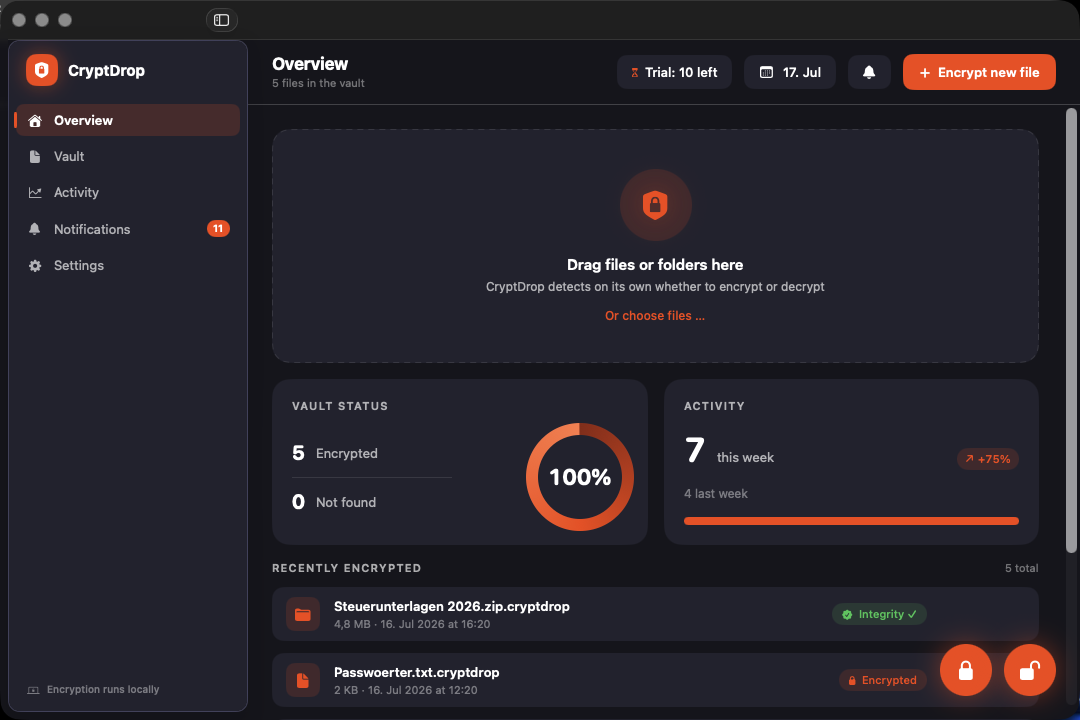
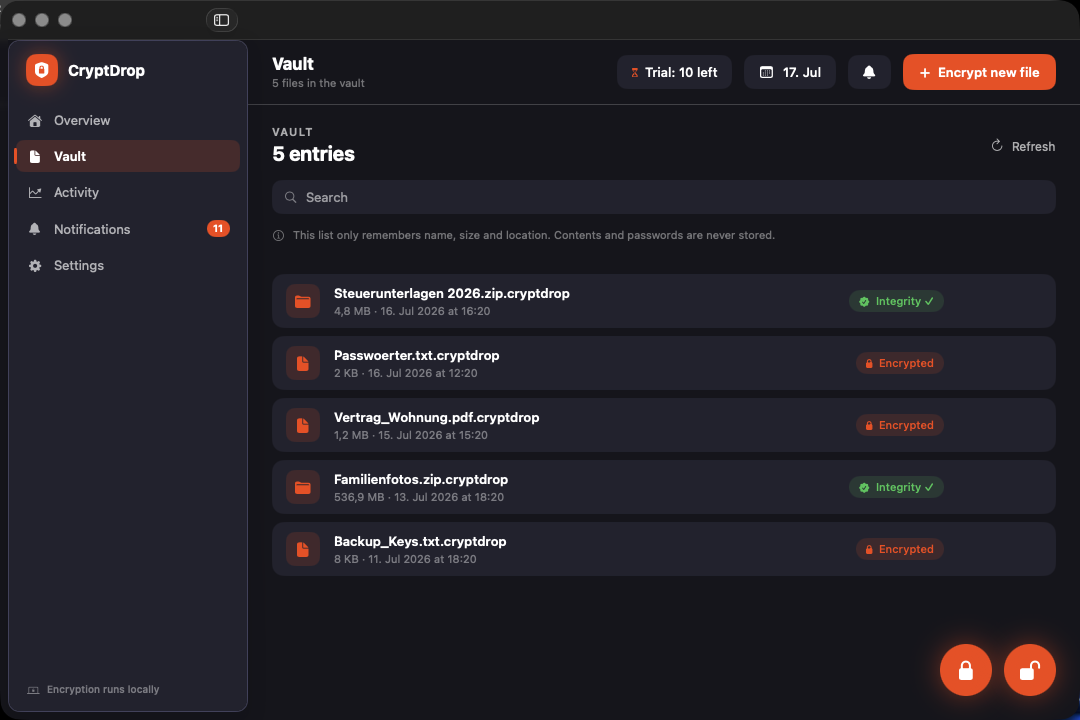
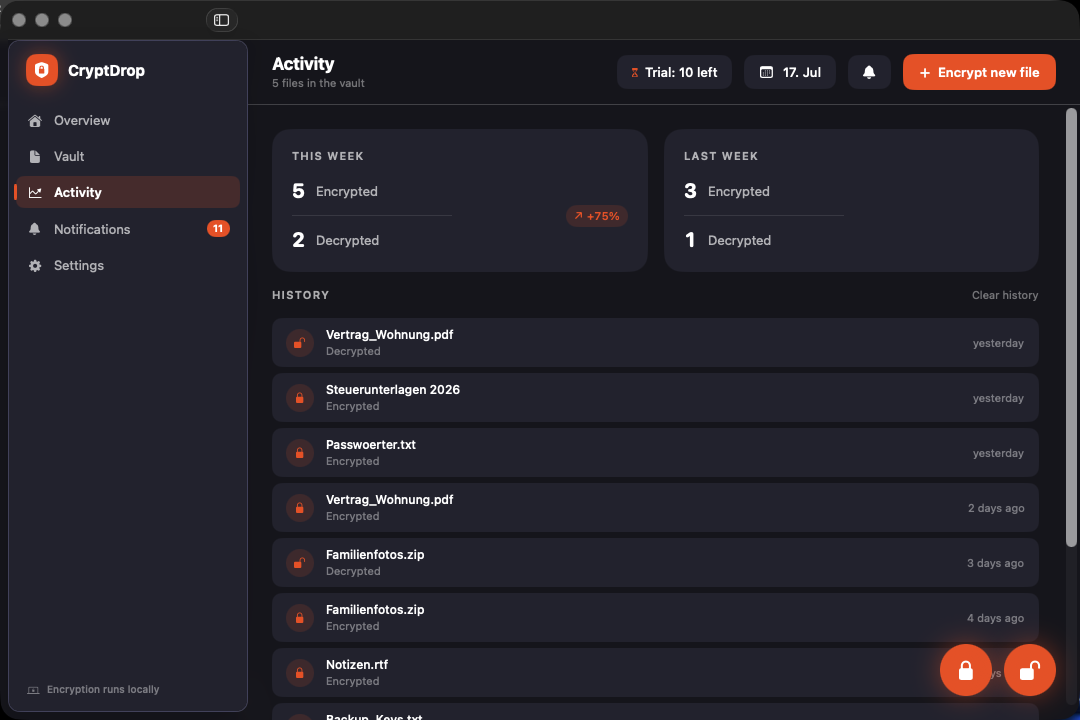
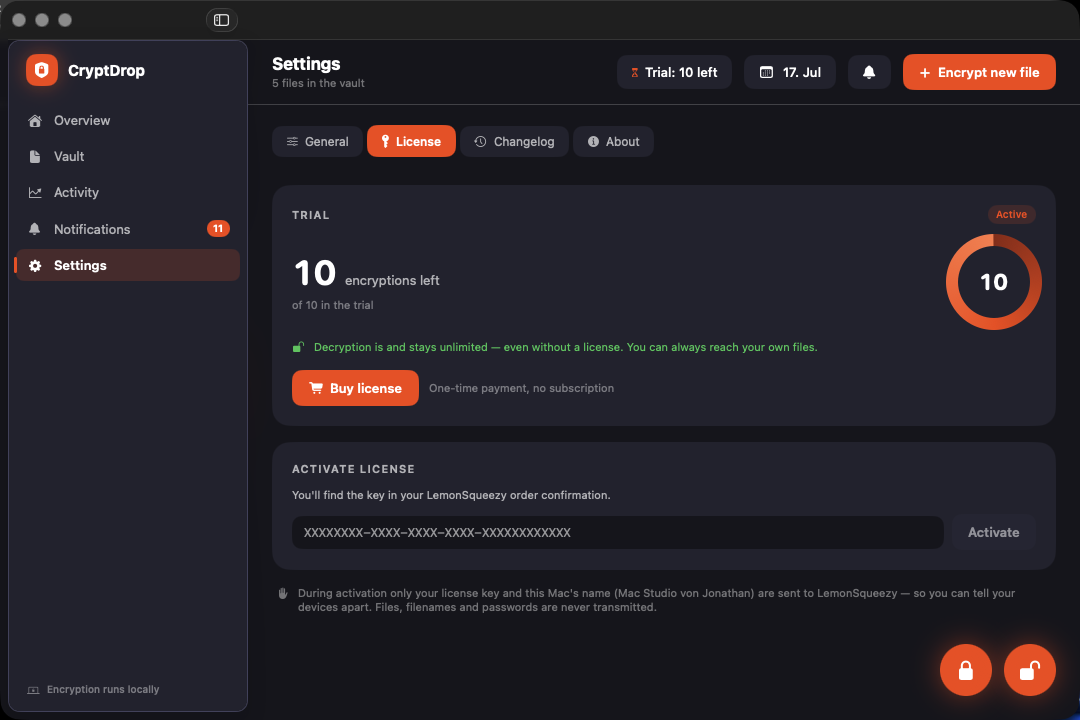
This is what CryptDrop looks like.
A calm, dark dashboard. Real screenshots — not renders.
Built for everyday use,
not for the showcase.
Folders included
Whole folder trees are zipped, encrypted, and unpacked again exactly as they were.
Integrity verified
Each segment carries its own auth tag. If a file was tampered with, CryptDrop tells you — instead of quietly handing back garbage.
The name is gone too
The original name lives inside the encrypted container. A .cryptdrop file gives away nothing about its contents.
Vault overview
A dashboard shows you what you encrypted and when. Only name, size and location are stored — never contents.
Fast and lean
Over 1 GB/s on Apple Silicon. Memory use tracks the block size, not the file — measured at a steady ~7 MB whether 50 MB or 800 MB goes through.
Never locked out
Decryption always works — without a license, after expiry, forever. You can reach your own data under any circumstances.
Verifiable, not just asserted.
What CryptDrop does — and what it explicitly can't. Both are here, because the second matters just as much.
AES-256-GCM in segments
The file is split into 1 MiB blocks, each with its own nonce and auth tag. Segment index and end-of-file are cryptographically bound — reordering or truncation is caught.
PBKDF2, 210,000 iterations
Your password is never used as the key directly; it is derived with HMAC-SHA256. Random salt per file — the same file twice yields two completely different containers.
Everything on your Mac
Encryption and decryption run entirely locally, with Apple's CryptoKit. No third-party libraries, no home-grown crypto code.
Two addresses, nothing more
CryptDrop contacts api.lemonsqueezy.com for licensing and this website for the changelog. Nothing else: no tracking, no analytics, no crash reports. Files, names and passwords are never transmitted.
What we don't promise
No “secure delete.” The option to delete the original after encrypting deletes the normal way through the system. On SSDs the controller spreads writes (wear levelling) — old data blocks can physically survive where no app can reach them. If you need real deletion security, use FileVault for the whole disk.
No recovery. Without your password the file is gone. There is no back door, no master key and no support trick. That is the whole point — but you should know it before you start.
No perfect memory wiping. Passwords are held as byte buffers and overwritten after use. But macOS text input runs them through a String that cannot be reliably erased. We shrink the window — we can't close it.
What we guarantee
The file format is documented and versioned. The crypto core lives in its own module with 35 tests: round-trips across all sizes, wrong password, tampered auth tags, altered headers, truncated files — and PBKDF2 against published test vectors.
Pay once. Done.
No subscription, no tiers, no feature behind a second paywall.
Full functionality, limited count
- 10 free encryptions
- Unlimited decryption — permanently
- All features, nothing locked
- No account needed
Forever, updates included
- Unlimited encryption
- All future updates
- Usable on your own Macs
- No subscription, no renewal
Frequently asked
What happens if I forget my password?
Do I need the internet to encrypt or decrypt?
Do I lose my files when the license expires?
Can I share CryptDrop files with others?
.cryptdrop file is an ordinary file — send it by email, put it in a cloud or on a stick. Whoever wants to open it needs CryptDrop and the password. Send the password by a different channel than the file itself.What about Time Machine and backups?
On how many Macs can I use the license?
Try it on a single file.
Ten free encryptions, no account, no email address. If it does nothing for you, you've lost nothing.
Download CryptDrop